
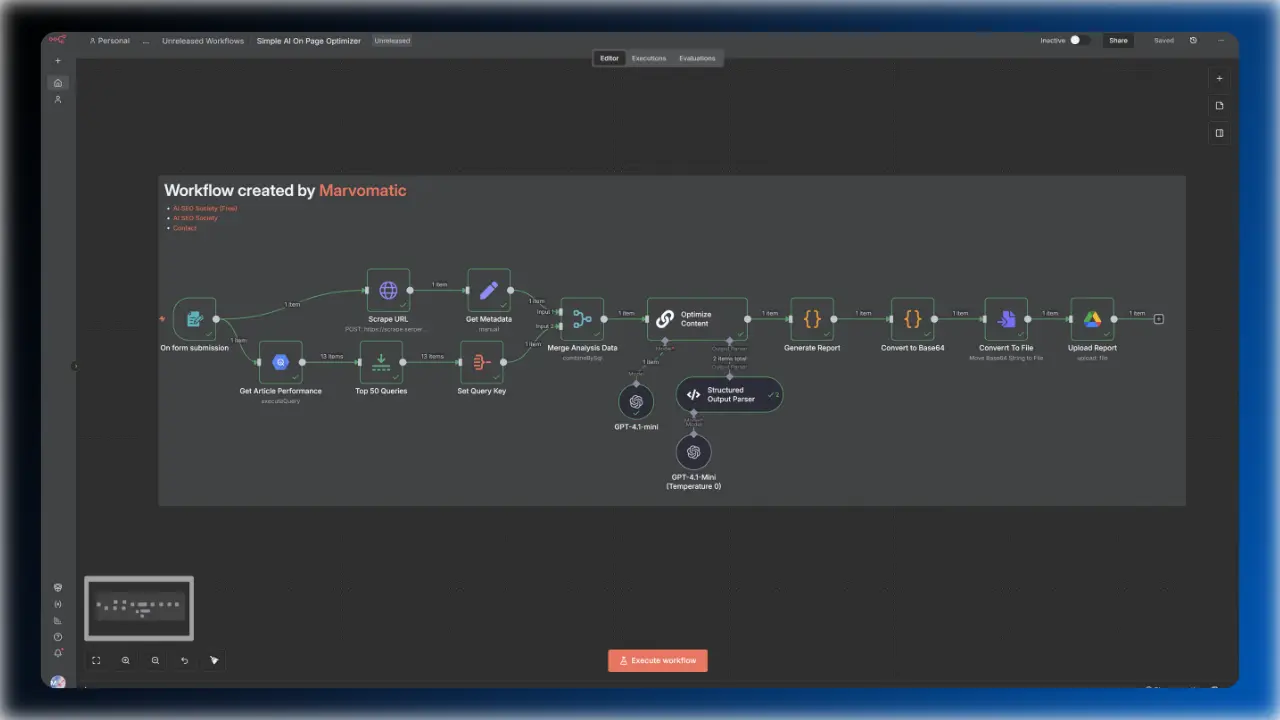
This n8n workflow analyzes your article and its corresponding data from Google Search Console, identifies keyword opportunities, and creates a detailed report including recommendations for titles, optimized phrases, and more.
Join to unlock 10+ premium templates instantly for $77/mo • Cancel anytime
he generated report includes “Copy” buttons for every optimized paragraph, making it easy to paste updates into your CMS.
Get clear, detailed performance reports automatically saved to your Google Spreadsheet. Easily monitor your progress, spot trends, and make smarter decisions.
Structured Google Docs document enabling you to update your article in minutes instead of hours.
Easily give your articles a new voice using LLMs like GPT-4. This workflow quickly rewrites your content, making it clearer and more engaging—saving you time and effort while keeping your message strong.
No more broken JSON or Google Documents. The workflow now forces the AI to adhere to a strict schema, ensuring the output is perfect every time.
Both your performance data and rewritten article are automatically saved to your Google Drive, using your article title as the filename.
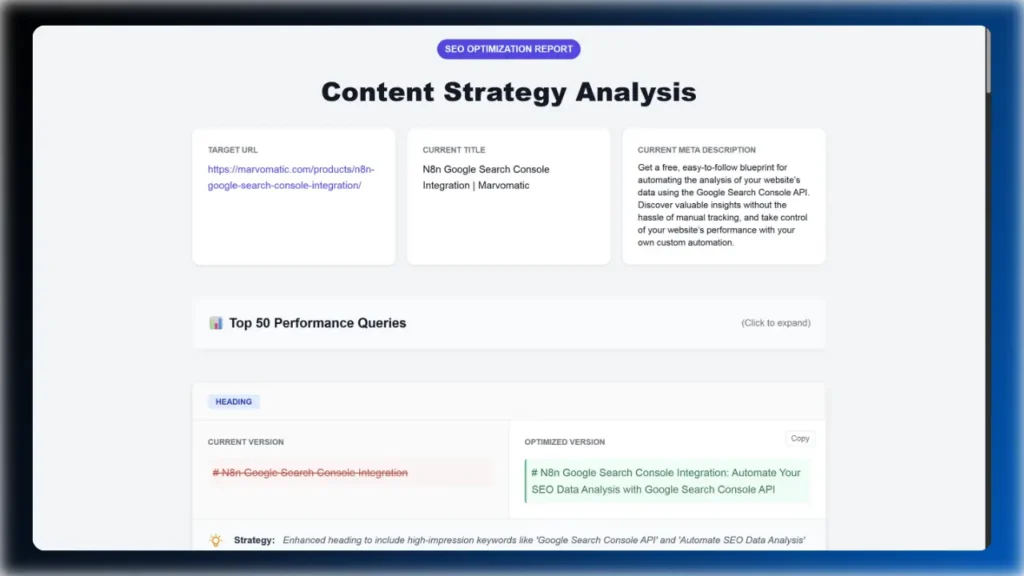
Stop guessing. This workflow scrapes your content, pulls your actual GSC performance metrics, and uses AI to identify exactly what’s missing. You get a data-backed report with specific, actionable rewrites—generated in seconds.
The workflow leverages scalable technology like Google BigQuery to instantly analyze your site’s specific performance data. By comparing two distinct time periods, it pinpoints your winning keywords and—more importantly—identifies the underperforming opportunities that need your immediate attention.
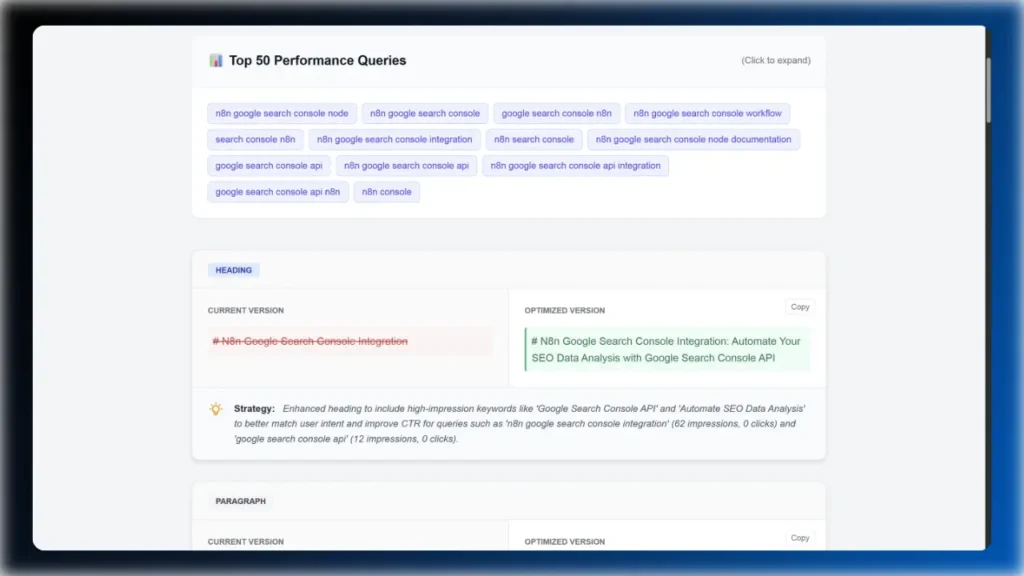
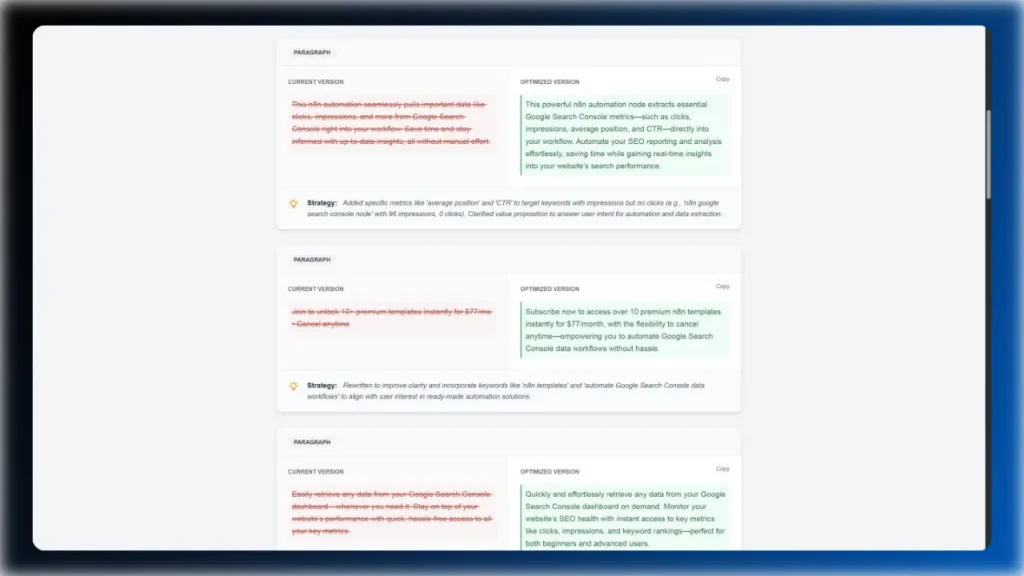
The report doesn’t just give advice; it gives you the exact text to use. It displays a side-by-side “Diff View” showing your current content versus the optimized version. Simply click “Copy” on the recommendation and replace the paragraph in your CMS. Done.
 100% free, cancel anytime.
You will receive a downloadable file (or files) containing the n8n workflow(s), along with setup instructions.
Basic familiarity with n8n is helpful, but each workflow comes with easy to understand instructions. If you’re new to n8n, I would recommend reading their official documentation.
Some workflows may require API keys or accounts with third-party services. Prerequisites can be found in the n8n nodes.
Yes, all workflows are fully editable within n8n. You can modify them to fit your specific needs.
As of now, I don’t offer customization options for free workflows. For setup guidance or demonstrations, please visit my YouTube channel, where I regularly upload new tutorials and showcase n8n workflows.
After payment, you will receive a download link via email.
If you have any questions before purchasing, please feel free to contact me directly. Since digital products are non-refundable, I encourage you to reach out with any concerns or specific questions you may have. The more precise you are with your questions, the better I can assist you in determining if this product is the right fit for your needs. You can reach me via my contact form.